


111.150.90.2004 is not a valid IPv4 address because its final numerical section exceeds the permitted range of 0 to 255. Although it looks similar to a regular internet address, its structure contains an important formatting error. This makes it an interesting example of how small numerical differences can affect network identification, IP address validation, and internet communication. Understanding why this string is invalid requires looking at how IPv4 addresses work, what their individual sections represent, and how computers interpret numerical network addresses.
What Is 111.150.90.2004?
111.150.90.2004 is a numerical string that resembles an IPv4 address. It contains numbers separated by periods, which is the familiar format used by many devices, routers, servers, and network services. However, looking like an IP address does not automatically make a string technically valid. IPv4 follows specific formatting rules, and every section must satisfy those requirements.
The address contains four sections: 111, 150, 90, and 2004. The first three numbers fall within the accepted IPv4 range, but the final number is much larger than the maximum permitted value. Therefore, the complete string cannot be accepted as a standard IPv4 address.
Is 111.150.90.2004 a Valid IP Address?
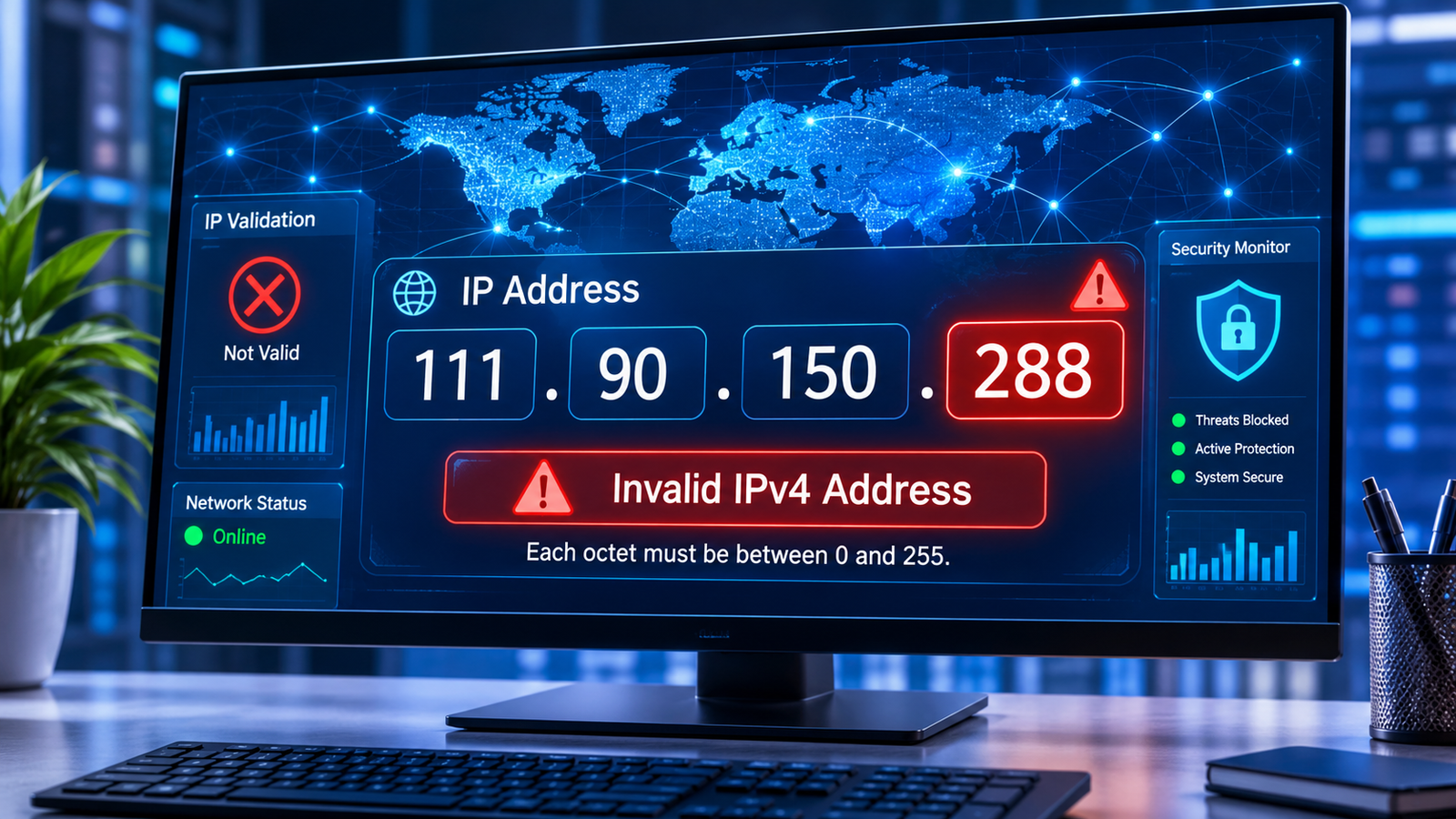
No, 111.150.90.2004 is an invalid IPv4 address. A standard IPv4 address contains four octets separated by three dots, and each octet must have a numerical value between 0 and 255. The final octet in this example is 2004, which exceeds that limit.
This is not simply a minor visual difference. IPv4 addresses use a 32-bit structure, with eight bits assigned to each octet. Eight bits can represent 256 possible values, starting at zero and ending at 255. Since 2004 cannot fit into an eight-bit octet, the address fails the standard IPv4 requirements.
Breaking Down the Structure of 111.150.90.2004
Looking at each section separately makes the problem easier to understand. An IPv4 address normally contains four octets, and each one contributes eight bits to the complete 32-bit address. In this example, three sections meet the numerical requirement, while the final section creates the formatting problem.
First Octet: 111
The first octet is 111, which is within the permitted range. It can be represented using eight bits, so there is no numerical range problem with this section. However, a valid first octet alone cannot make the complete address valid.
Second Octet: 150
The second octet is 150. This number is also within the accepted range of 0 to 255. It satisfies the numerical requirement for an IPv4 octet and does not create the error found in the final section.
Third Octet: 90
The third octet is 90, which is another acceptable value. It can be represented within eight bits and follows the standard numerical range used in IPv4 formatting.
Fourth Octet: 2004
The fourth octet contains the value 2004. This is where the problem appears. The maximum value allowed in a standard IPv4 octet is 255, so 2004 is far outside the permitted range. Because of this single section, the complete address is invalid.
Why Does the IPv4 Address Format Matter?
IPv4 formatting matters because computers need a consistent way to identify and communicate with devices across networks. Routers, operating systems, servers, and networking applications rely on established addressing rules to process network traffic correctly.
An IPv4 address is made up of 32 bits divided into four groups of eight bits. Each group is commonly written as a decimal number, with periods separating the groups. This familiar arrangement makes addresses easier for people to read while preserving the underlying binary structure.
For example, an address such as 192.168.1.1 follows the standard four-octet format. Every section falls within the permitted numerical range. In contrast, 111.150.90.2004 contains a final section that cannot be represented by an eight-bit octet.
Understanding the IPv4 Addressing System
IPv4 stands for Internet Protocol version 4. It is one of the foundational addressing systems used to identify devices and support communication between networks. Each IPv4 address contains 32 bits, allowing approximately 4.3 billion possible address combinations before accounting for reserved and special-purpose ranges.
Although newer technologies such as IPv6 have expanded the available address space, IPv4 remains widely used across home networks, businesses, websites, data centers, and internet infrastructure.
What Are IPv4 Octets?
An octet is a group of eight bits. Since each bit can have a value of either zero or one, eight bits can represent 256 different combinations. These combinations produce decimal values ranging from 0 through 255.
For easier reading, IPv4 addresses display these groups as decimal numbers instead of long binary sequences. The four groups are separated by dots, creating a familiar format.
Why Is the Maximum Value 255?
The maximum value comes directly from the mathematics of binary numbers. Eight bits provide 256 possible combinations because each bit has two possible states. The smallest combination represents zero, while the largest represents 255.
This explains why an octet cannot contain 256, 500, 1000, or 2004. Any value above 255 falls outside the standard IPv4 octet range.
What Happens When Someone Enters 111.150.90.2004?
When someone enters an incorrectly formatted address into a network configuration field, website, or software application, the system may reject it as invalid. The exact response depends on the application performing the validation.
A browser, router configuration page, network diagnostic utility, or IP validation service may display an error message. Some applications may simply refuse to continue, while others may explain that one of the address sections contains an unacceptable value.
It is important to understand that entering this string does not automatically connect a device to a particular server or reveal a specific online location. Its formatting error prevents it from functioning as a standard IPv4 address.
Common Reasons Behind Invalid IP Addresses
Incorrect IP addresses can appear for several reasons. Sometimes someone makes a simple typing mistake, while other cases involve poorly formatted data, copied text, or software that generates an incorrect value.
Typing and Formatting Mistakes
One of the most common causes is human error. Someone may accidentally add extra digits while entering an address or copy an incorrect value from a document. In this example, the final section contains four digits instead of a number within the permitted range.
Incorrect Data Entry
Applications sometimes receive network information from forms, databases, configuration files, or external sources. If the supplied information has not been properly checked, an invalid string can appear in the system.
Software and Configuration Errors
Network-related software may display malformed addresses because of programming mistakes, incorrect data conversion, or configuration problems. Proper input validation helps prevent these issues before they affect network operations.
How to Check Whether an IPv4 Address Is Valid
Checking an IPv4 address does not require advanced networking knowledge. A basic review of its structure can identify many common errors.
Step 1: Count the Numerical Sections
A standard dotted-decimal IPv4 address should contain four numerical sections. Three dots separate these sections. If the address has too few or too many sections, it does not follow the familiar standard format.
Step 2: Check Every Octet
Examine each section individually. Every octet must contain a value from 0 to 255. A single number outside this range makes the complete address invalid.
Step 3: Look for Extra Characters
Check for unnecessary spaces, letters, unusual punctuation, or extra numerical digits. These can cause formatting problems or prevent an application from accepting the address.
Step 4: Use an IP Validation Tool
An IP validation tool can automatically check whether a string follows IPv4 formatting rules. These tools are useful when working with multiple addresses, reviewing network configurations, or troubleshooting input errors.
Examples of Valid and Invalid IPv4 Addresses
Comparing different examples makes the rules easier to remember. The following examples demonstrate how the numerical range affects IPv4 validity.
| IP address | Status | Explanation |
|---|---|---|
| 192.168.1.1 | Valid | All four octets are within range |
| 8.8.8.8 | Valid | All sections contain acceptable values |
| 10.0.0.1 | Valid | Follows standard IPv4 formatting |
| 111.150.90.2004 | Invalid | Final octet exceeds 255 |
| 192.168.300.1 | Invalid | Third octet exceeds 255 |
| 256.1.1.1 | Invalid | First octet exceeds 255 |
| 192.168.1 | Invalid | Contains only three sections |
| 192.168.1.1.5 | Invalid | Contains five sections |
These examples highlight an important point: all four sections must be correct. Even if three octets contain acceptable values, the address cannot pass IPv4 validation when the remaining octet is invalid.
Can 111.150.90.2004 Be Used for Network Communication?
No, this exact string cannot be used as a properly formatted standard IPv4 address. Network communication requires addresses that follow the Internet Protocol’s addressing rules. Since the final section exceeds the maximum octet value, the string does not represent a valid 32-bit IPv4 address in standard dotted-decimal notation.
If this value appears in a router setting, network report, software log, or configuration file, it should be checked before being used. Replacing the final number with an arbitrary value is not a reliable solution because the intended address is unknown.
The correct approach is to return to the original source and verify what address was supposed to be entered.
Is 111.150.90.2004 a Public or Private IP Address?
It is neither a valid public IPv4 address nor a valid private IPv4 address because it fails the basic IPv4 formatting requirements. Public and private classifications apply to correctly formatted IPv4 addresses.
Private IPv4 address ranges include 10.0.0.0/8, 172.16.0.0/12, and 192.168.0.0/16. These ranges are reserved for private network use, such as home routers, office systems, and internal networks.
Public IPv4 addresses are generally used for communication across the public internet, subject to applicable reservations and routing rules. However, an address must first be valid before its public or private classification can be meaningfully determined.
What Is the Difference Between IPv4 and IPv6?
IPv4 and IPv6 are two versions of the Internet Protocol. Both support communication between devices, but they use different address structures.
IPv4 uses 32-bit addresses displayed as four decimal octets separated by dots. IPv6 uses 128-bit addresses and is generally written using hexadecimal characters separated by colons.
For example, 192.168.1.1 is a familiar IPv4 address, while 2001:db8::1 is an example of an IPv6 address used in documentation.
IPv6 was developed partly to address the limited number of available IPv4 addresses. Its much larger address space supports the growing number of internet-connected devices. However, the two formats are different and cannot be treated as interchangeable.
Does 111.150.90.2004 Reveal Someone’s Location or Identity?
No. The string 111.150.90.2004 does not establish the identity or physical location of an individual. It is an invalid IPv4 address, so ordinary IP geolocation services cannot reliably treat it as a standard IPv4 endpoint.
Even with a valid public IP address, geolocation usually provides an approximate network location rather than a person’s exact home address. IP information may indicate an internet service provider, organization, or general geographic region, but it does not independently prove who is using the connection.
This distinction matters when interpreting unusual numerical strings found in website logs, online discussions, technical reports, or security-related information.
How to Avoid IPv4 Formatting Errors
Avoiding invalid IP addresses starts with careful data entry and basic validation. When copying an address, check that no extra digits or punctuation have been added. If the address comes from a technical document or application, compare it with the original source instead of guessing the intended value.
For developers, validating user input before saving or processing it is especially important. A proper IPv4 validation routine should check the address structure and confirm that every octet falls within the permitted range.
Network administrators can also use established diagnostic tools to review IP configurations. These small checks help prevent unnecessary troubleshooting and reduce mistakes when managing devices, servers, and network settings.
Conclusion
111.150.90.2004 is an invalid IPv4 address because its final octet, 2004, exceeds the maximum permitted value of 255. The other three sections meet the numerical range requirement, but every octet must be valid for the complete address to follow the IPv4 standard.
If you encounter this string in a configuration file, website, network report, or online discussion, treat it as an incorrectly formatted address rather than assuming it identifies a real internet-connected device. Checking the original source is the safest way to determine whether a typing mistake or data formatting issue caused the problem.
Understanding these basic IPv4 rules makes it easier to recognize invalid addresses, interpret networking information, and avoid confusion when working with internet-related technologies.
Frequently Asked Questions
1. Is 111.150.90.2004 a real IP address?
No. It resembles an IPv4 address, but its final octet is 2004, which exceeds the permitted maximum of 255. Therefore, it is not a valid standard IPv4 address.
2. Why is 111.150.90.2004 invalid?
The address is invalid because IPv4 uses four octets, and each octet must contain a value between 0 and 255. The final section exceeds this range.
3. How many sections does an IPv4 address have?
A standard IPv4 address has four numerical sections separated by three dots. Each section represents an eight-bit octet.
4. Can an IPv4 octet be greater than 255?
No. An IPv4 octet can only represent values from 0 to 255. Numbers above this limit do not satisfy standard IPv4 formatting rules.
5. Can I find the location of 111.150.90.2004?
No reliable IP geolocation lookup can treat this exact string as a valid standard IPv4 address. It must first be corrected using information from its original source.
Read also: 111.90.150.288 Is This a Valid IP Address?











Leave a Reply